Live Climbing Sessions
Track your climbing sessions in real-time with automatic timing, rest timers, and live grade logging.
Start a Live Session
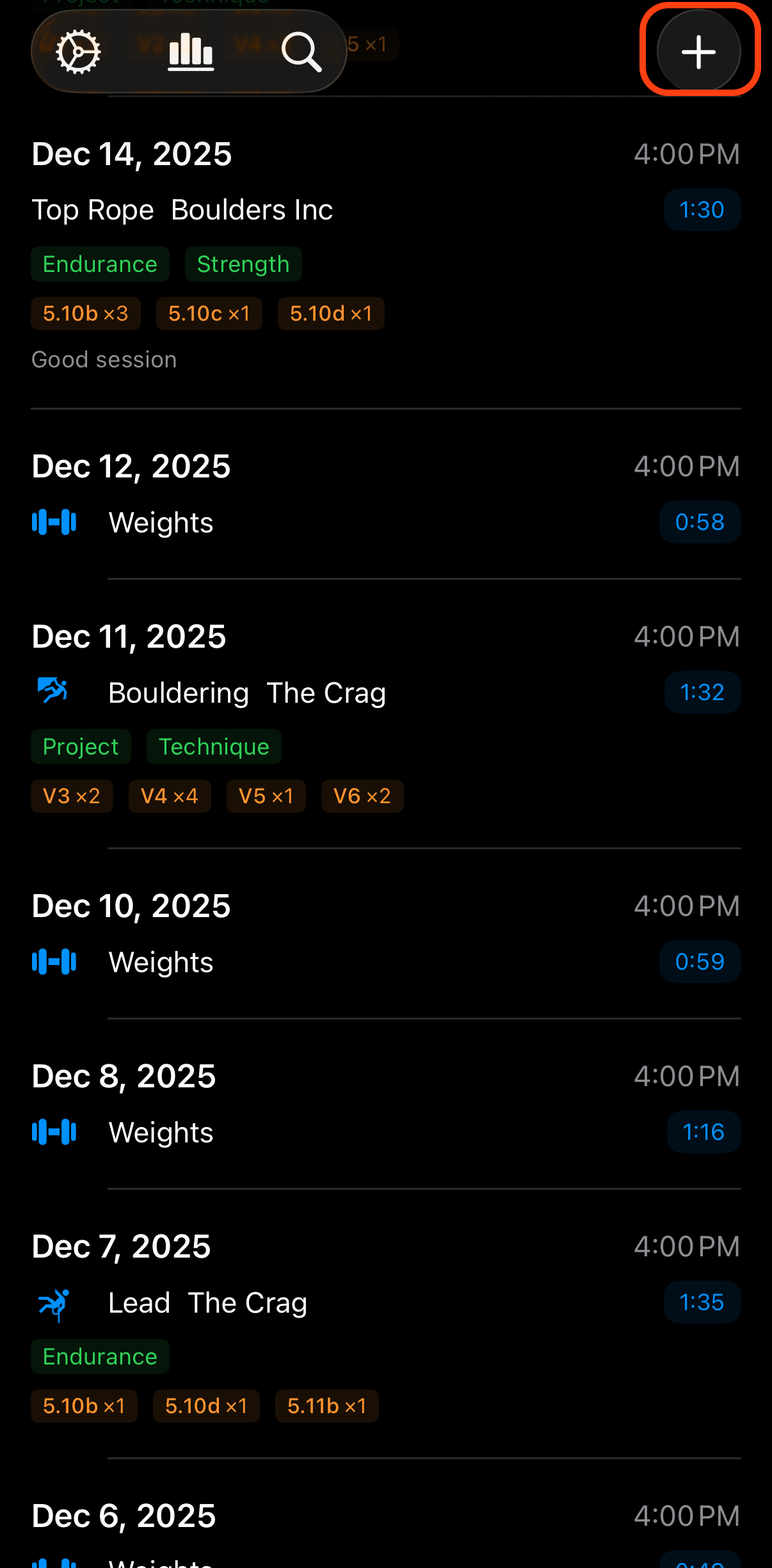
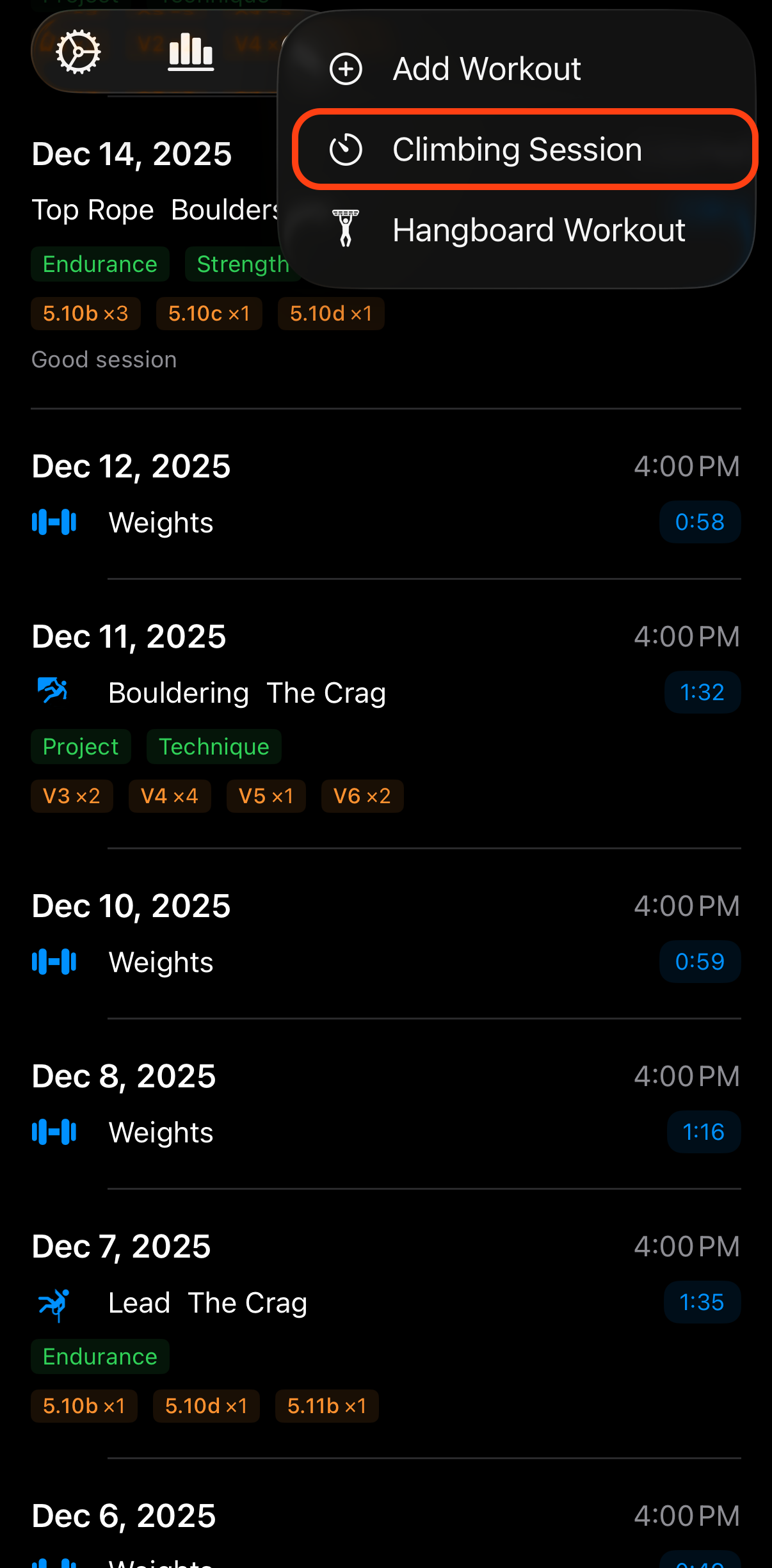
Tap the timer button in the main screen toolbar to begin tracking your session.
Log Your Sends
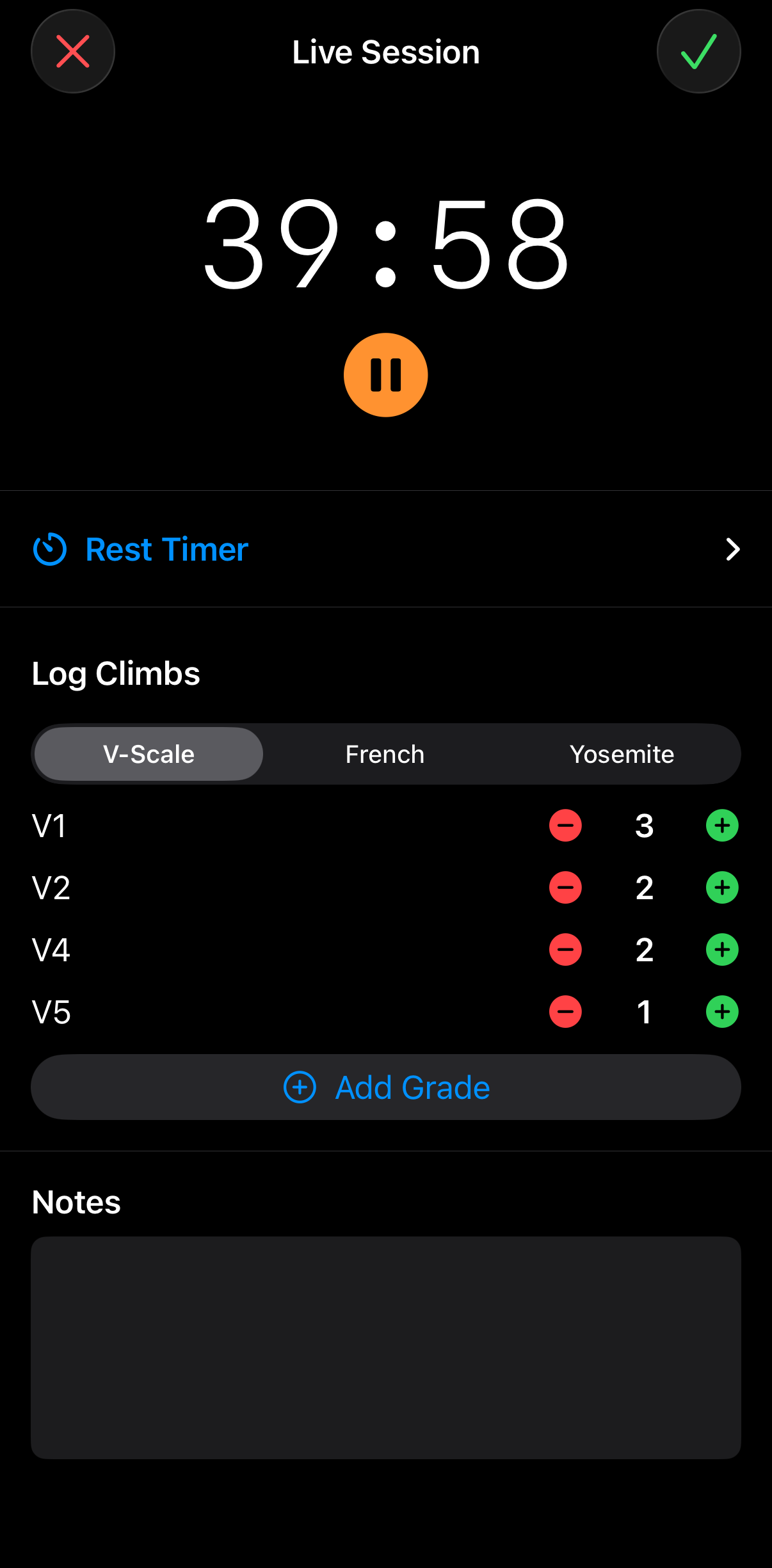
As you complete climbs, tap the grade button to log each send. The grade picker shows your preferred grade system and makes it quick to add multiple climbs of the same grade.
Use the Rest Timer
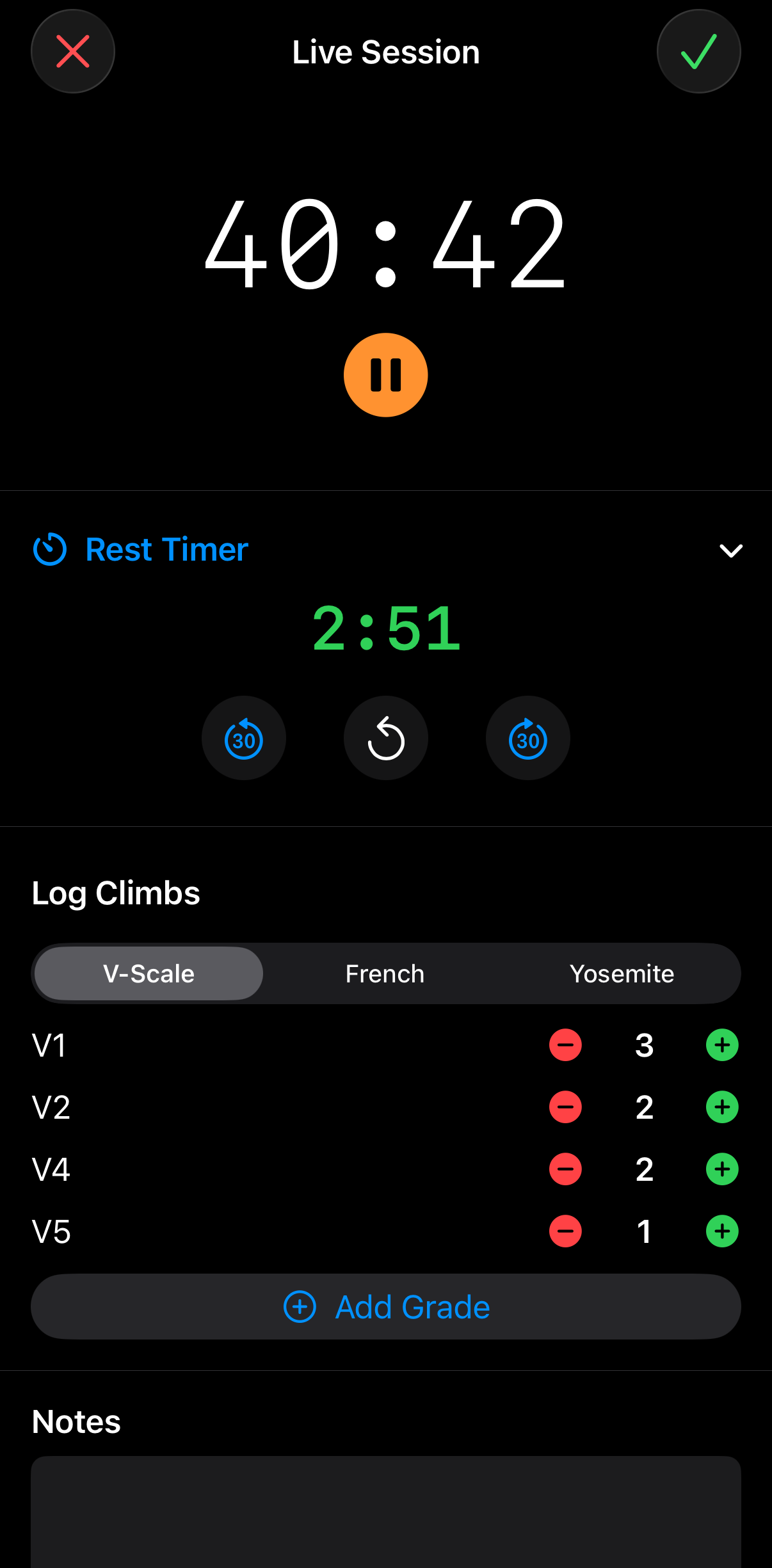
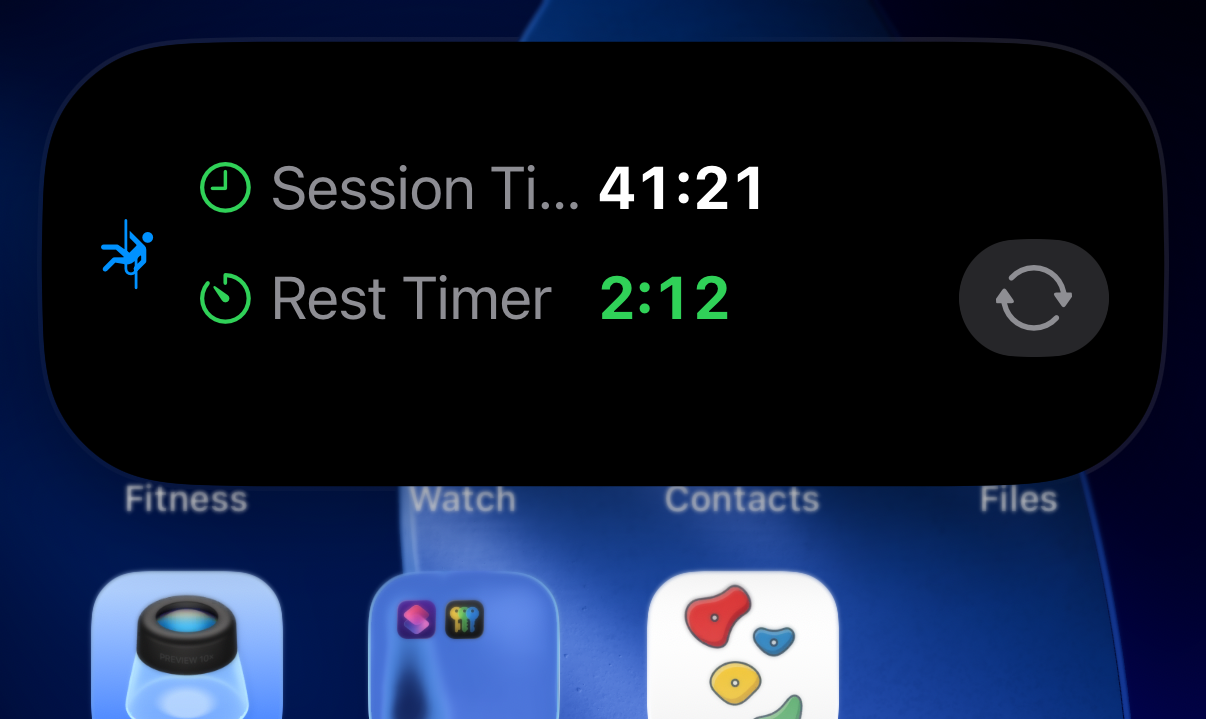
Tap "Start Rest Timer" between attempts. Set your preferred rest duration and get notified when it's time to climb again. The rest timer integrates with Live Activities so you can see it from your lock screen. Start the next rest period from the widget without having to open the app.
Finish and Review
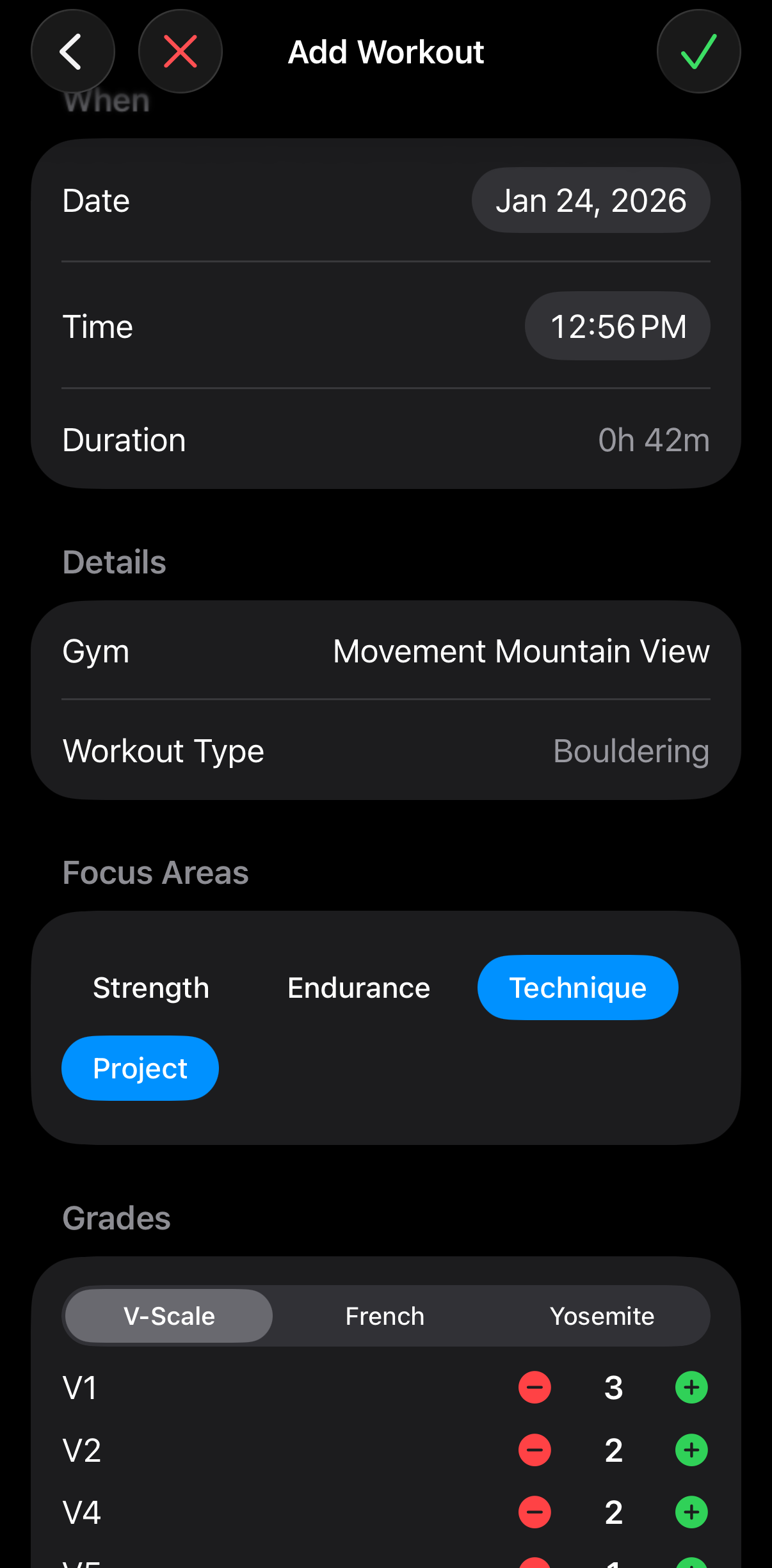
When you're done climbing, tap "Finish" to end the session. You'll see a summary of your session with all logged sends, total time, and grades. Edit any details before saving.
Hangboard Workouts
Follow structured hangboard protocols with guided timers for hang and rest periods.
Start a Hangboard Session
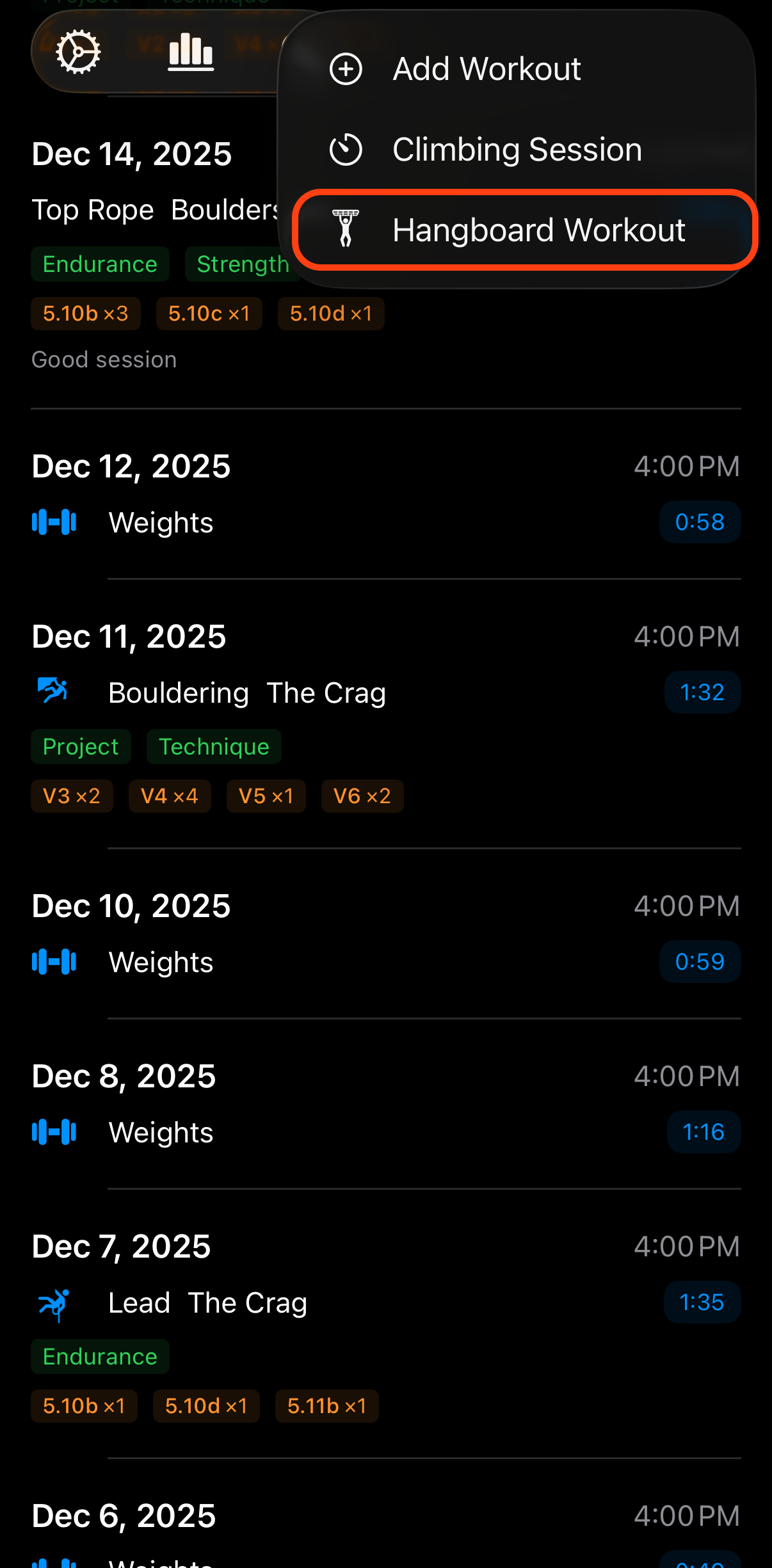
Tap the hangboard button in the main screen toolbar to begin your session.
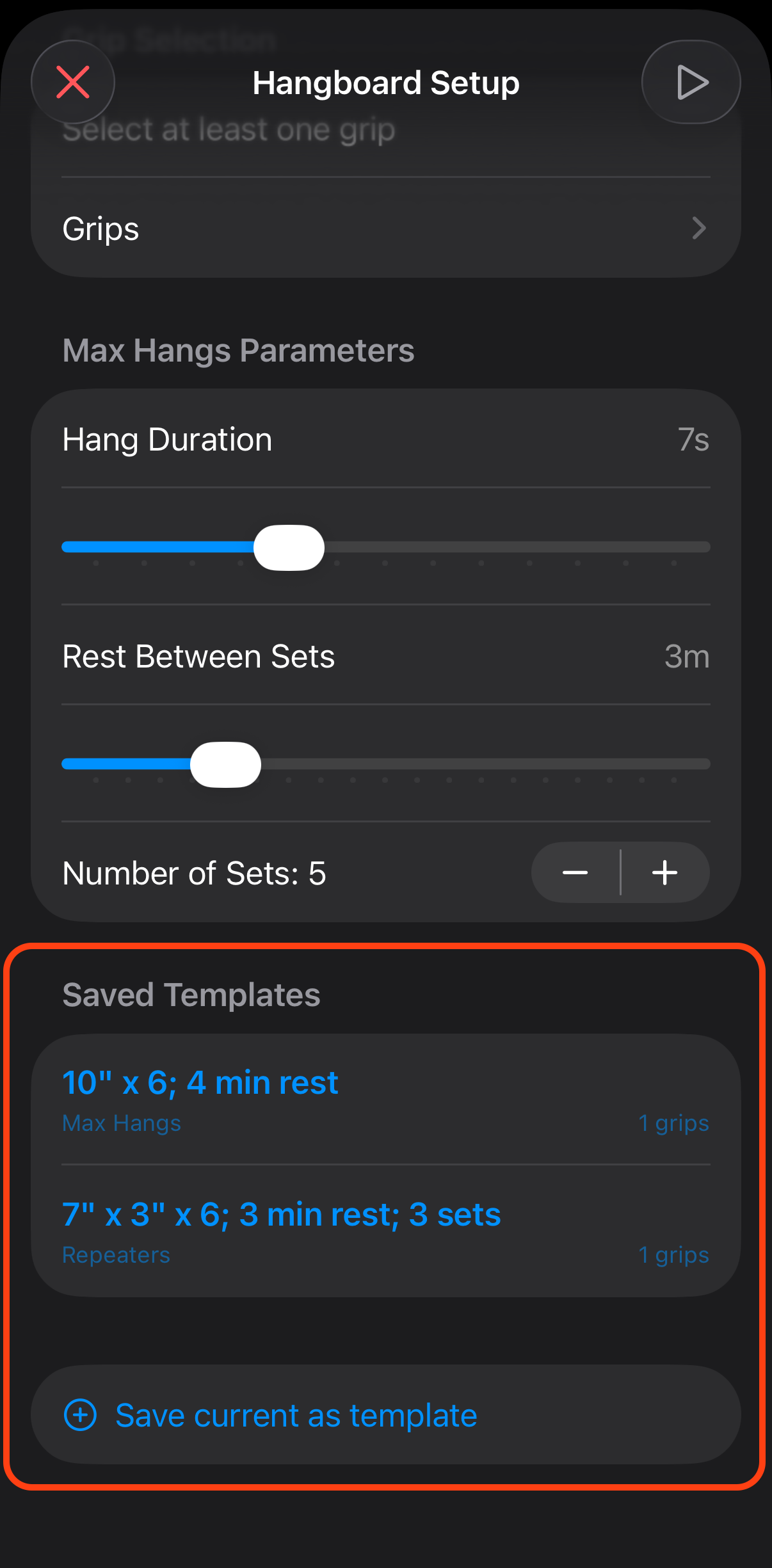
Create or Load a Protocol
Tap "New Hangboard Workout" from the main menu. You can create a new protocol or load a saved template.
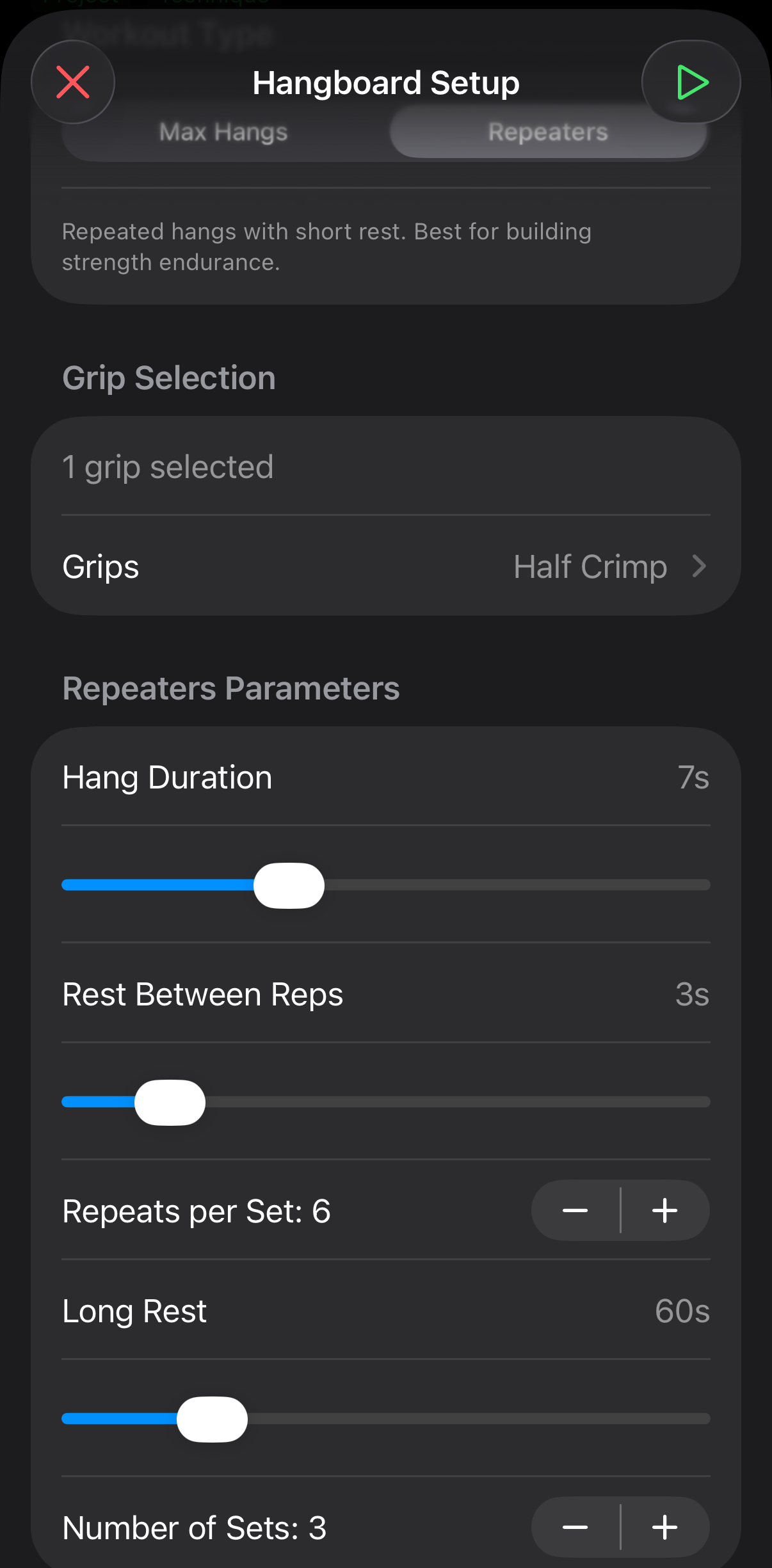
For each set in your workout:
- Grip Type: Choose from common grips (Crimp, Half Crimp, Sloper, Pinch, Pocket, etc.)
- Hang Duration: How long to hold each hang (e.g., 7 seconds)
- Rest Duration: Rest between hangs within a set (e.g., 3 seconds)
- Reps: Number of hangs per set (e.g., 6 reps)
Save as Template
Optionally name your protocol and save it as a template for quick access next time. Common protocols like "Max Edge" or "Repeaters" can be reused without reconfiguring every time.
Start Your Workout
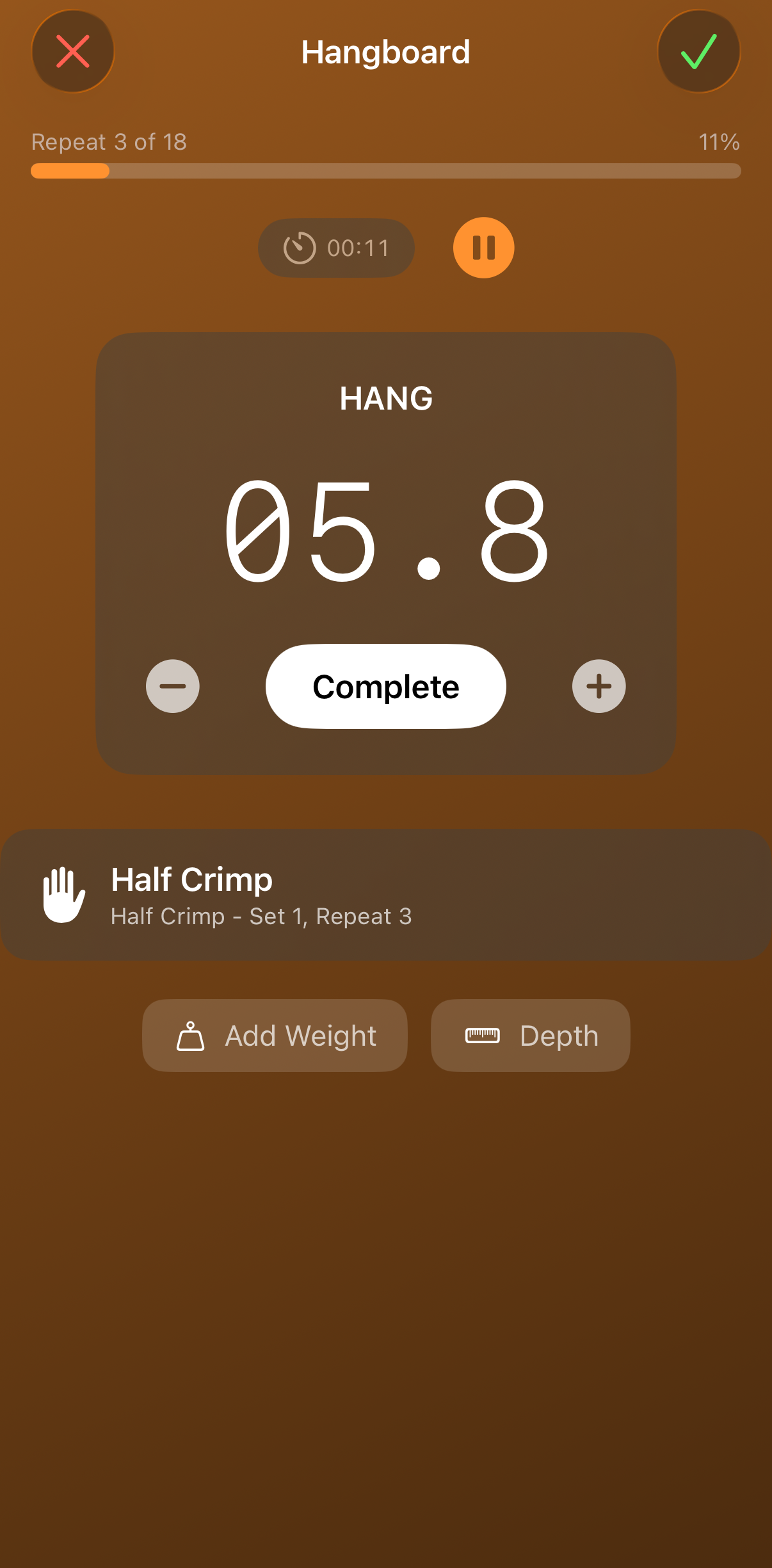
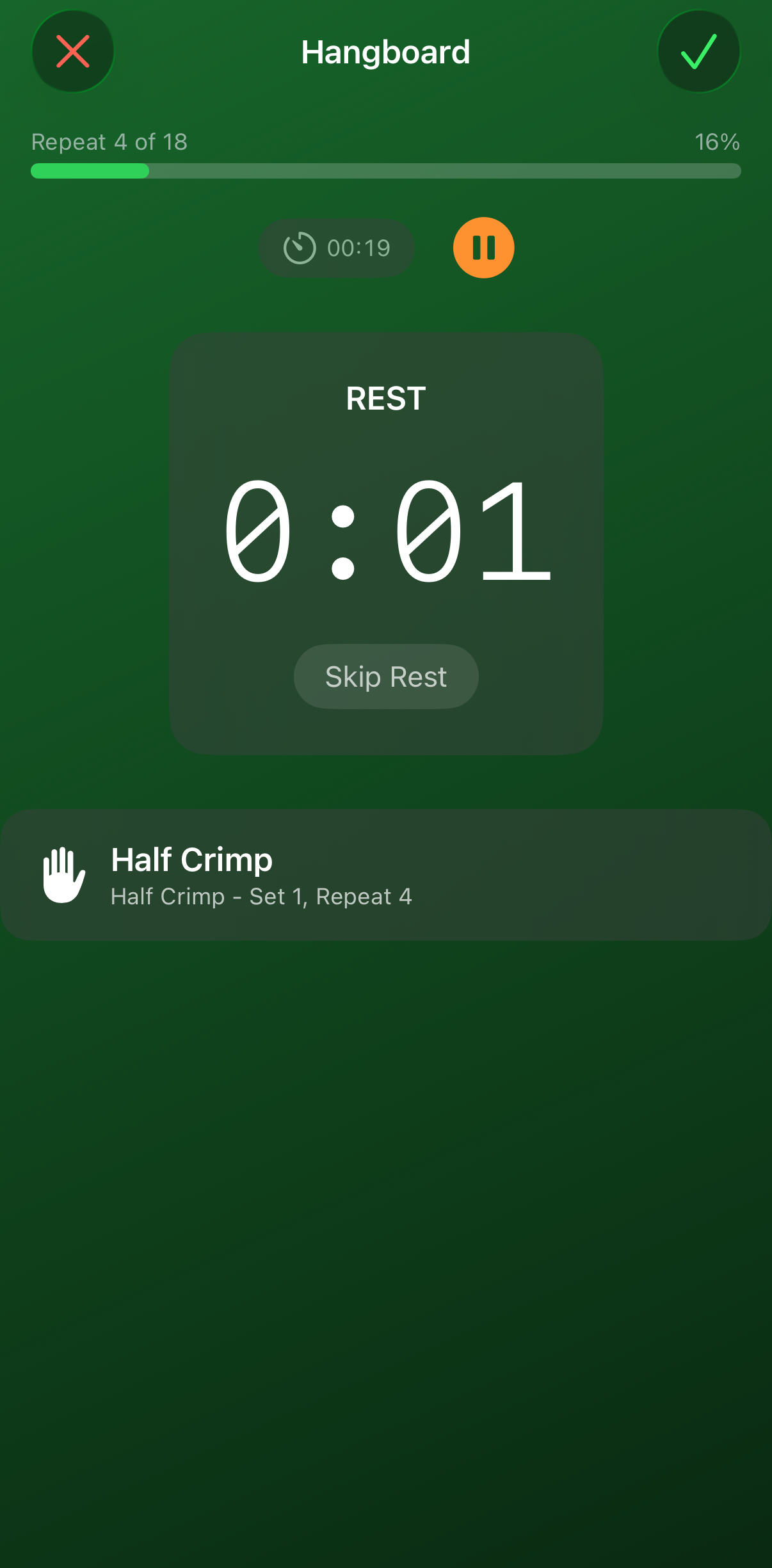
Tap "Start Workout" to begin. Follow the guided timers:
- The app counts down your hang duration with audio alerts
- Rest between hangs within the set
- Longer rest between sets
- Mark each rep complete as you finish it
Complete and Review
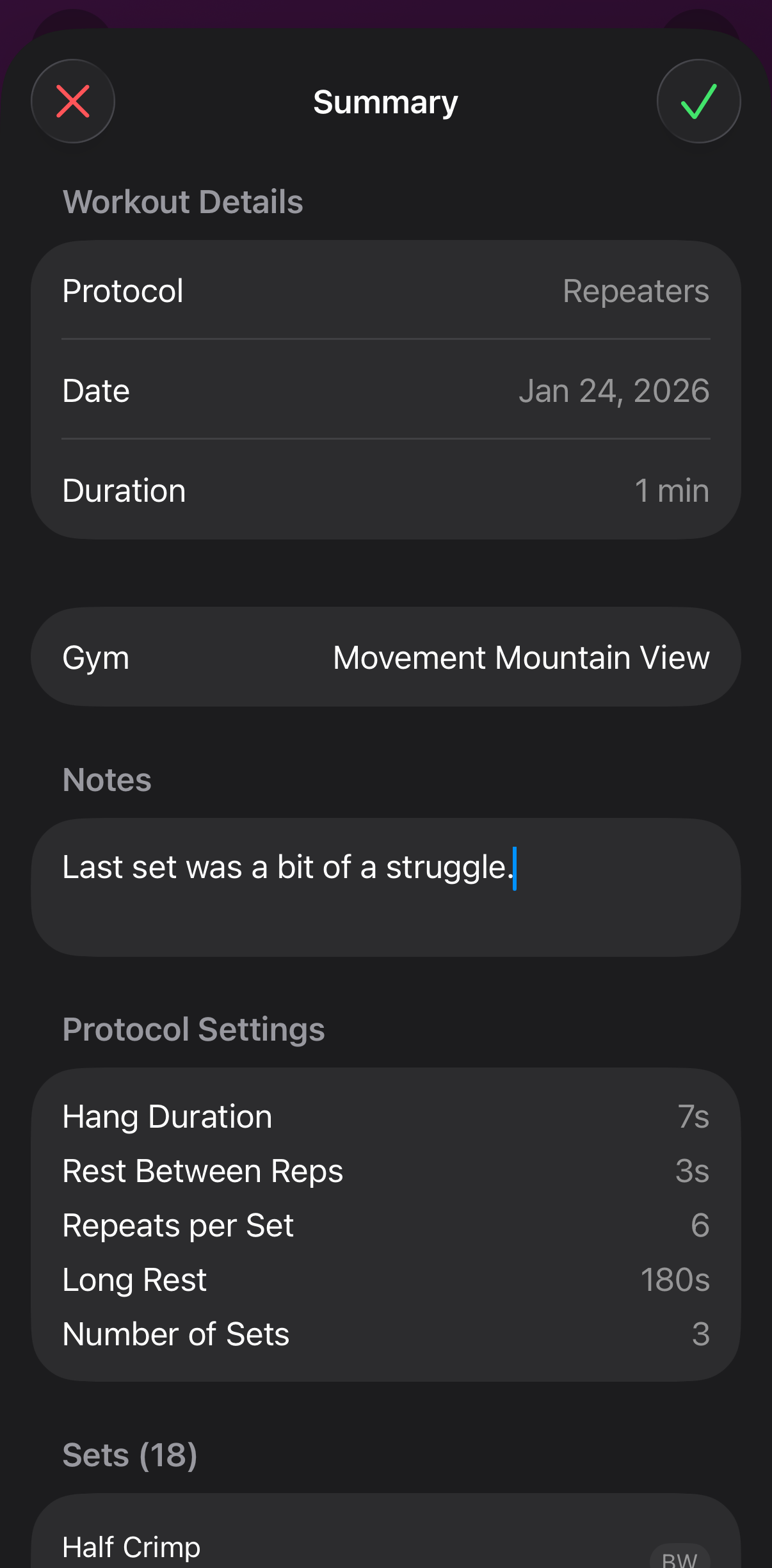
After finishing all sets, you'll see a summary showing completion statistics for each set. This helps you track progress and see which grips you're improving on.
Tips & Tricks
Live Sessions
- Quick Rest Restart: Use the Live Activity widget to quickly restart your rest timer without unlocking your phone. Also works in the Apple Watch Smart Stack.
- Session Notes: Add notes during your session to remember how you felt, what projects you tried, or conditions
Hangboard Workouts
- Start Simple: Begin with shorter hang durations and fewer reps, then progressively overload
- Consistent Timing: Use the audio alerts to know exactly when to start and end each hang without looking at your phone
- Track Progress: Use the Metrics view to see hangboard workout volume over time alongside your climbing sessions
Data & Export
- CSV Export: Export your workouts as CSV for analysis in spreadsheets or custom tools.
- Import: You can import previously exported CSV files. Duplicates are automatically skipped based on workout ID.
- Backup: Regularly export your data to keep an external backup of your climbing history.